
 LinkBack URL
 About LinkBacks
Last updated 12/2021
MP4 | Video: h264, 1280x720 | Audio: AAC, 44.1 KHz
Language: English | Size: 3.93 GB | Duration: 6h 40m
Want to master Adobe InDesign? Welcome. you came to the right place! We've been waiting for you.
What you'll learn
Master all the basics and learn how to create magical layouts and designs. We'll get you up and running in no time!
You will learn how to do layouts, banners, business cards, annual reports, posters, magazine layouts and just about everything else you can think of. as
You will learn about images, colour spaces, exporting final documents for print and digital, tables and digital forms.
Already know the basics? Take Indesign to the next level with over 25 advanced techniques that will have you working faster and smarter!
Learn how to apply advanced paragraph, character and object styles to half your production time.
Dive into the world of digital media as we explore rich media (Video, sound and interactivity) and bring your designs to life!
Learn how to combine the power of Photoshop, Illustrator and Indesign to create immersive interactive infographics with InDesign
You will get a certificate of proficiency upon completion of your final projects.
Our outcome based training methods will make it possible for you to start earning money with your new skills immediately.
You will learn how to add video, sound, buttons, animation and interactivity for digital documents and how to publish online.
Dive into Creative Cloud and learn about CC libraries and how to use them in your InDesign workflows.
Create a fully interactive engaging infographic using rich media, animation and button actions.
Over 7 hours of incredible content!
Requirements
Basic computer knowledge required
A subscription of Adobe InDesign
No previous knowledge of InDesign needed
Description
You are about to embark on an epic journey through the ultimate design software and we are here to guide you from the ground up all the way to design stardom!In this superpower course we will show you what makes InDesign tick and how it has evolved to become the industry standard for desktop publishing, design, digital presentations and infographics. This is not just a course for beginners, we're turning up the volume and diving deep into the core of the program to help you tap into your ultimate creative potential.We've been doing this for 20 years, so trust us you're in great hands.Chapter 1 - Basic inDesign layoutsIn our first chapter you will learn how to do layout, from page structure to creating booklets, books, posters, annual reports and much more in InDesign. Learn about image resolution, colour spaces, placing images for layout, books, indexes, style sheets, text effects and using InDesign to draw vector graphics. Couple that with our 'outcome based' training methods and you'll be up and running in no time. We'll also take a deep dive into Adobe Creative Cloud as we explore how to combine the power of Photoshop and Illustrator with Indesign.Chapter 2 - Pro skillsNow that you know the basics let us show you how to use it to its full potential. In this chapter we take a look at the more advanced features in InDesign and some super tricks of the trade to enable you to work faster and smarter. Speed up your design workflow with expert advice on master pages, styles, templates, typography and digital forms. Take a journey through 25 essential techniques to help you design better and faster and see how 10 styles can be applied with just one click!Chapter 3 - InDesign digitalInDesign has evolved to become the ultimate powerhouse to create digital content. You can now use it to do anything from a PDF presentation to a fully animated interactive version of your design including spectacular moving infographics. We will show you how to set up engaging and interactive user experiences in a non-coding environment. Further more, you will learn how to prepare an InDesign document to use rich media elements (animation, video, sound) and set up interactivity using InDesign's tools. During this chapter we'll show you how to build a complete interactive infographic that can be published to the web. We'll conclude with a look at the brand new 'Publish Online' function for mobile compatible publishing.Why choose this course?With over 20 years experience in the design training arena we've always believed that training should be outcome based. This means it should prepare you properly to be able to do the work from the moment the course ends. We want you to hit the ground running at an incredible pace. Together with teaching we've been running a successful creative agency for 15 years, so the techniques we'll teach you is what we use on a day to day basis for our clients. The aim is to instill in you the confidence to face any design challenge and deliver pure magic! Over the years we've had the privilege of training hundreds of delegates which has gone on to discover their ultimate creative potential. Are you ready to be one of them?"Absolutely wonderful experience. Instructor had a world of knowledge on the program and made it easy and simple to learn. I expected to learn only the basics, but were surprised with so much more. I loved the digital chapter and how to apply animation and interactivity to my designs. I now feel like I'm ready to face any design challenge"- Johan de Vos Freelancer"I loved examples shown of how techniques / tools have been used creatively / professionally. I loved the practical execution of the training. The course were also very structured which is great and Ruds' knowledge wat top notch."- Kristine Leigh Freelancer"After taking the course, I feel much more confident to take on InDesign. My vision as an entrepreneur is so much more clear - I can create anything myself rather than relaying that to graphic designers! In our new climate, I can see how great the investment is, now businesses are more pressured to outsource less and try to innovate & create internally.- Amerae Vercueil Chef, Food Stylist, Entrepreneur
Overview
Section 1: InDesign Basics
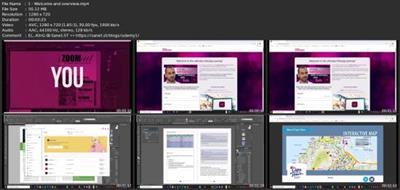
Lecture 1 Welcome and overview
Lecture 2 Resources
Lecture 3 Installing the software
Lecture 4 Creative Cloud workflows
Lecture 5 Our case study
Lecture 6 Block design
Lecture 7 Setting up your document
Lecture 8 The program environment and getting around
Lecture 9 A look at all the panels and menus
Lecture 10 Creating the cover for your magazine
Lecture 11 Working with images and vector artwork (Photoshop and Illustrator)
Lecture 12 Creating and controlling content
Lecture 13 Colour
Lecture 14 Typesetting with Character and Paragraph styles
Lecture 15 Preparing your final documents
Lecture 16 Additional design tools
Lecture 17 Publishing your design online
Section 2: InDesign Pro skills
Lecture 18 InDesign - The next level - Overview
Lecture 19 Resources
Lecture 20 Our case study
Lecture 21 25 techniques to make you an InDesign superstar!
Lecture 22 Tables
Lecture 23 Character, paragraph and object styles
Lecture 24 Advanced stylesheets
Lecture 25 Working with rich media
Lecture 26 Digital forms
Lecture 27 Working with Creative Cloud libraries
Section 3: InDesign Digital
Lecture 28 Making your designs come to life - Overview
Lecture 29 Resources
Lecture 30 Our case study
Lecture 31 Digital PDFs
Lecture 32 Animated publications
Lecture 33 Video and sound
Lecture 34 Interactive design
Lecture 35 Animated Infographics (With Illustrator)
Lecture 36 Publish online
Anyone who would like to master the basics of InDesign and start making money,New users: Learn everything from the ground up and hit the road running,Already know InDesign?, we'll take your knowledge to the next level and make you an InDesign superhero!,Companies that would like to do design work in-house rather than using an agancy
rapidgator.net:
uploadgig.com:Kod:https://rapidgator.net/file/677ea11b267bc2764ab03c375517203f/felxc.Adobe.Indesign.Superpower.Basic.To.Advanced.part1.rar.html https://rapidgator.net/file/afa381b1f28114298d7425217276f687/felxc.Adobe.Indesign.Superpower.Basic.To.Advanced.part2.rar.html https://rapidgator.net/file/19ba9606895f7d2bf7a623270fff7197/felxc.Adobe.Indesign.Superpower.Basic.To.Advanced.part3.rar.html https://rapidgator.net/file/616082425f5f1e2561c4b517d117c0ec/felxc.Adobe.Indesign.Superpower.Basic.To.Advanced.part4.rar.html https://rapidgator.net/file/f2633079280fc4bc07cc8f5b72a43b4f/felxc.Adobe.Indesign.Superpower.Basic.To.Advanced.part5.rar.html
1dl.net:Kod:https://uploadgig.com/file/download/c43e5e4066095257/felxc.Adobe.Indesign.Superpower.Basic.To.Advanced.part1.rar https://uploadgig.com/file/download/fab523086BAa7107/felxc.Adobe.Indesign.Superpower.Basic.To.Advanced.part2.rar https://uploadgig.com/file/download/0076272f7c4d7fF3/felxc.Adobe.Indesign.Superpower.Basic.To.Advanced.part3.rar https://uploadgig.com/file/download/26320a45b98c98f3/felxc.Adobe.Indesign.Superpower.Basic.To.Advanced.part4.rar https://uploadgig.com/file/download/Df2cbee1e698c8a6/felxc.Adobe.Indesign.Superpower.Basic.To.Advanced.part5.rar
nitroflare.com:Kod:https://1dl.net/hiha7lx0yp06/felxc.Adobe.Indesign.Superpower.Basic.To.Advanced.part1.rar.html https://1dl.net/ed0sp2ii211x/felxc.Adobe.Indesign.Superpower.Basic.To.Advanced.part2.rar.html https://1dl.net/w9vps79eaot3/felxc.Adobe.Indesign.Superpower.Basic.To.Advanced.part3.rar.html https://1dl.net/3vvw7a40ijio/felxc.Adobe.Indesign.Superpower.Basic.To.Advanced.part4.rar.html https://1dl.net/81kijbkfxaiq/felxc.Adobe.Indesign.Superpower.Basic.To.Advanced.part5.rar.html
Kod:https://nitroflare.com/view/256452CA702CC47/felxc.Adobe.Indesign.Superpower.Basic.To.Advanced.part1.rar https://nitroflare.com/view/BF511DEC731F739/felxc.Adobe.Indesign.Superpower.Basic.To.Advanced.part2.rar https://nitroflare.com/view/FB2A2544648099D/felxc.Adobe.Indesign.Superpower.Basic.To.Advanced.part3.rar https://nitroflare.com/view/83D56246F24BC21/felxc.Adobe.Indesign.Superpower.Basic.To.Advanced.part4.rar https://nitroflare.com/view/5856E14F1ED6FEA/felxc.Adobe.Indesign.Superpower.Basic.To.Advanced.part5.rar


2 sonuçtan 1 ile 2 arası
Hybrid View
-
17.09.2022 #1Üye


- Üyelik tarihi
- 20.08.2016
- Mesajlar
- 151.080
- Konular
- 0
- Bölümü
- Bilgisayar
- Cinsiyet
- Kadın
- Tecrübe Puanı
- 161
Adobe Indesign Superpower! Basic To Advanced
-
17.09.2022 #2Üye
- Üyelik tarihi
- 16.03.2022
- Yaş
- 42
- Mesajlar
- 20.458
- Konular
- 0
- Bölümü
- Gemi inşaatı ve gemi makineleri
- Cinsiyet
- Erkek
- Tecrübe Puanı
- 24
Cevap: Adobe Indesign Superpower! Basic To Advanced
[Misafirler Kayıt Olmadan Link Göremezler Lütfen Kayıt İçin Tıklayın ! ] Bay lên nÃ*o



 Alıntı
Konu Bilgileri
Users Browsing this Thread
Şu an 1 kullanıcı var. (0 üye ve 1 konuk)

Konuyu Favori Sayfanıza Ekleyin